Turn every recorded idea into a complete edit.
You record for your own channels, more than one of them, every week. A thirty-second video is six separate takes, and the editing evening after every recording is what slows the routine down. ReadyForm is video editing software for content creators: upload the takes, get the finished video back in your style, post it where you like.
ReadyForm starts with the short-form footage you recorded for one video, not a complete podcast, an AI avatar or a written prompt.
Is ReadyForm built for content creators?
Yes: for creators who regularly record original short-form content for their own channels and would rather review a finished video than build one from a blank timeline.
You record several takes for one video. ReadyForm chooses the cleanest one of each part, cuts the restarts, adds captions in your brand kit's style, paces it, adds B-roll and sound, and renders it. Then it shows you every scene with its source take, so you change what you want and post.
It does not post for you, and it does not clip podcasts or webinars. One short video, recorded on purpose, in and out.
Recording the video is only the beginning.
Too many takes. The same setup repeated every week: the caption font, the highlight colour, the logo. Recorded ideas that stay unfinished because the edit is the part that gets postponed. And when they do get finished, they do not quite look like the last one.
ReadyForm removes the repeated preparation before every video: the brand kit does the styling, the edit is made in minutes, and consistency stops being a design project per post.
The goal is not to remove you from the process. It is to remove the repeated preparation before every edit.
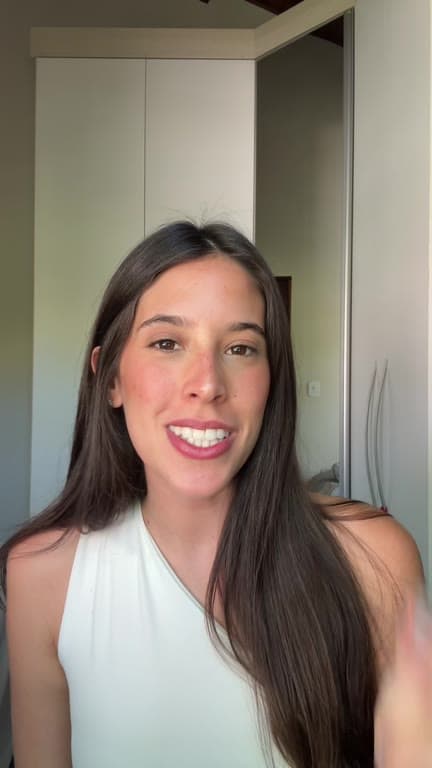
From raw takes to a finished video, every week.
The routine, without the editing evening.
01
Record your takes
Record the hook, the explanation, the example and the ending as separate pieces on your phone. Do the hook three or four times if you are not sure which one works. The attempts you would normally delete are the ones worth uploading.
02
Upload with your brand kit
All the takes for one video go into a single project with your brand kit selected. The kit holds your colours, your fonts, your caption style and your logo, so you set that up once and never think about it again in the middle of a publishing week.
03
ReadyForm makes the edit
ReadyForm compares your takes, keeps the best reading of each line, cuts the restarts, the dead air and the false starts, and adds captions, pacing, B-roll, sound and colour. It renders the video itself. The next thing you look at is a finished post, not a timeline waiting for an evening.
04
Review, download, post
Every scene shows its source take. Change what you want; download in 9:16, 1:1 or 16:9 for each channel.
The kinds of video you already make.
Anything where you talk to your audience and the edit has to keep up.
Tips and tutorials
One useful thing, explained.
Stories, opinions and reactions
What happened, what you think of it.
Behind the scenes and creator updates
The process, and where you are with it.
Product explanations
Something you use or made, shown.
Q&A
One question from the comments, answered.
Educational series
The same format, every week, in the same style.
Not a clipping tool. Not a blank timeline.
You keep the idea, the recordings, which scenes stay, which take is used, the caption wording, the visual style and the decision to post. ReadyForm makes the cut, the captions, the pacing, the visuals and the render.
It is not a podcast clipper, an AI avatar, text-to-video or a scheduler. Nothing is published automatically, and it does not promise growth. For the workflow on one platform, see the pages for TikTok, Instagram and YouTube Shorts creators.
Try it on your own footage for $0 today.
Every plan starts with 7 days free: 750 ReadyCredits, up to 3 standard videos, the complete editor, no watermark.
Start 7-day free trialQuestions before you upload?
Can I upload several takes for one creator video?
Yes. That is what ReadyForm is built around: several takes in, one finished video out.
Can ReadyForm edit content for TikTok, Instagram and YouTube Shorts?
Yes. One edit, exported in 9:16, 1:1 and 16:9. The platform pages describe each workflow.
Can I change the edit ReadyForm makes?
Yes. Scenes, source takes, cuts, captions, B-roll and zooms are all changeable in the editor, and the video re-renders.
Can I use my own caption style?
Yes. Font, size, colours, highlight, animation, words per caption and position are saved in your brand kit and applied to every edit.
Does ReadyForm publish the videos a content creator makes?
No. You download the video and post it where you want.
What does the trial include for a creator?
7 days, 750 ReadyCredits and up to 3 standard videos, with everything included. $0 today; cancel anytime from your account.
Related: Who it's for · TikTok creators · Instagram creators · YouTube Shorts creators · Short-form video editor
Your next video is already recorded.
Upload the takes and get the complete edit back.