Turn your YouTube Short takes into a complete edit.
Record the hook, the explanation, the example and the ending as separate short-form takes. ReadyForm, the AI YouTube Shorts editor for original footage, turns them into one finished Short: takes picked, mistakes cut, captions, pacing, B-roll and sound added, rendered and ready to upload.
Built for Shorts you record yourself, not for clips cut out of your long videos. You upload it; ReadyForm does not connect to YouTube.
What is a YouTube Shorts editor?
A YouTube Shorts editor is software used to cut, arrange, caption and prepare square or vertical short-form videos intended for YouTube Shorts.
YouTube's own tools let you record, add music and publish. Clipping tools cut a long video into Shorts. ReadyForm is for the third case: a Short you recorded on purpose, in several takes. It turns those takes into one complete edit and gives you the file to upload.
It is not connected to YouTube: no upload, no scheduling, no access to the YouTube Audio Library, and no say in whether YouTube classifies your video as a Short. It is not a long-form clipping tool either; it does not look for moments inside your long videos.
The Short is compact. The recording session is not.
One Short still produces several hook versions, an explanation you broke off, a correction, two examples, pauses and an alternative ending. Before it can be uploaded, someone has to review the takes, make the cuts, order the scenes and check the captions and the audio.
ReadyForm does that part. It reads every take, picks the cleanest version of each part, cuts the mistakes, adds captions, zooms, B-roll, sound and colour, and renders the finished Short.
You record. ReadyForm edits. You upload.
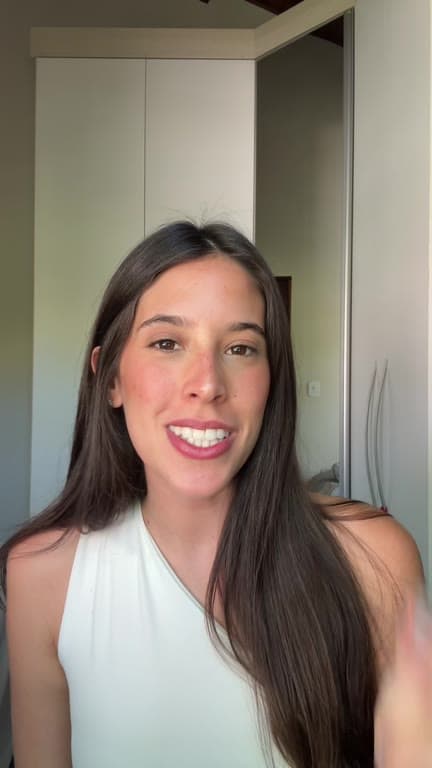
Record the message in parts. Upload one Short.
Four steps, and ReadyForm does the one that used to take the evening.
01
Record one Short idea
Record the hook, the context, the main point, an example, the conclusion and the call to action as separate pieces. Record each of them as often as you like. A Short is short enough that a second attempt costs almost nothing and usually comes out better.
02
Upload the recordings
All the takes for that one Short go into a single project, from your phone or straight from Google Drive. Pick a brand kit so the captions, colours and logo match the channel. There is no need to trim, rename or put anything in order first.
03
ReadyForm makes the edit
Every take is transcribed, the strongest version of each part is chosen, and the restarts and silences are cut. Captions, pacing, B-roll, sound and colour are added on top. It is rendered as one connected Short, ready for the feed rather than for another hour at a timeline.
04
Download and upload to YouTube
The Short comes out in 9:16 without a watermark. Open the editor first if you want to change a take, a caption or a cut, and it re-renders. Then upload it in the YouTube app or in YouTube Studio, and add the title and settings there.
What the editor does with a Short.
Everything a short-form editor would do to your takes. All automatic, all yours to change afterwards.
Take selection
The cleanest version of every part you recorded more than once.
Cuts and cleanup
Stutters, false starts, silences and abandoned attempts go.
Captions
Word-timed, in your brand kit's style, with the key words highlighted. Names, terms and numbers are editable in the story view.
Pacing and zooms
Punch-ins and cut points set so the hook, the point and the ending each get their time.
B-roll and sound
Supporting footage where it explains, sound effects on the cuts, a colour grade over the whole Short. Music you add on YouTube.
Vertical composition
Composed for 9:16 from the start, with the speaker and the captions where a phone screen shows them.
Built for Shorts with one clear idea.
Original, creator-led YouTube content. The kind where you talk and the edit has to keep up.
Educational Shorts
One concept, fact, method or lesson.
Expert insights
Professional knowledge or a focused opinion.
Talking-head Shorts
Straight to the audience, in several takes.
Tutorials and product explanations
A process, a feature, a workflow, an outcome.
Founder content
Lessons, business insights, behind the scenes.
Q&A and myth-versus-fact
One question answered, one misconception corrected.
The exported video is not the complete upload.
ReadyForm makes the video. YouTube stays the place where you finish the post.
YouTube currently classifies eligible square or vertical videos of up to three minutes as Shorts, and states that Shorts longer than one minute with an active Content ID claim can be blocked worldwide. Those rules change; check the current ones before you upload.
Before uploading, check the title, the audience setting, visibility, music and copyright, and any disclosures. ReadyForm does none of that for you, does not use the YouTube Audio Library, and is not affiliated with YouTube.
A Shorts editor, not the complete YouTube stack.
ReadyForm is built for original Shorts footage, multiple takes for one Short, the complete edit with cuts, captions, pacing and visual media, a vertical composition, and a finished export.
ReadyForm is not a YouTube uploader, a channel manager, a scheduler, a thumbnail maker, a title generator, an analytics dashboard, a monetisation tool, a copyright-clearance service or a music library. It does not promise views or subscribers, and it is not an official YouTube integration.
Try it on your own footage for $0 today.
Every plan starts with 7 days free: 750 ReadyCredits, up to 3 standard videos, the complete editor, no watermark.
Start 7-day free trialQuestions before you upload?
What is the best video editor for YouTube Shorts?
It depends on the workflow. YouTube's own tools are for recording, music and publishing; clipping tools are for repurposing long videos. ReadyForm is for creators who record original Shorts in several takes and want the complete edit done for them.
How does ReadyForm edit YouTube Shorts?
It transcribes the separate takes for one Short, picks the cleanest version of each part, cuts the mistakes, adds captions, zooms, B-roll, sound and colour, and renders the finished vertical video.
Can ReadyForm edit multiple Shorts takes?
Yes. That is what it is built around: several recordings for one intended video.
How long can a YouTube Short be?
YouTube currently supports eligible square or vertical Shorts of up to three minutes. Check YouTube's current requirements before publishing; the rules change.
Does ReadyForm add captions to Shorts?
Yes, word-timed and in the style of your brand kit. Check names, terms and numbers in the story view; edit a word and the caption follows.
Does ReadyForm upload directly to YouTube?
No. You download the finished Short and upload it in the YouTube app or YouTube Studio. ReadyForm has no YouTube integration.
Does ReadyForm include YouTube music?
No. It adds sound effects on the cuts, but it has no access to the YouTube Audio Library. Add music, and clear the rights, on YouTube.
Can ReadyForm turn my long videos into Shorts?
No. It is built for Shorts you record on purpose, not for finding moments inside long videos.
Does ReadyForm guarantee more views or subscribers?
No. It makes the edit. Distribution, the audience and channel growth are not something any editor controls.
Can I try the YouTube Shorts editor?
Yes. Every plan starts with 7 days free: 750 ReadyCredits for up to 3 standard videos. A payment method is required, $0 is charged today, and you can cancel anytime from your account.
Related: TikTok video editor · Vertical video editor · Inside ReadyForm
Upload the takes. Get the Short back.
Record or pick the separate takes for one Short and see the complete edit ReadyForm makes of them.